AI Video Face Consistency: Faces, Bodies and Roles
Better face and body consistency starts with clear individual references, natural build cues and each photo on the right role card, followed by careful review across the whole video. Judge facial identity, anatomy and instrument assignment separately. These steps make the request and evaluation more precise; they do not guarantee that an AI model will preserve every person perfectly through every movement or cut.
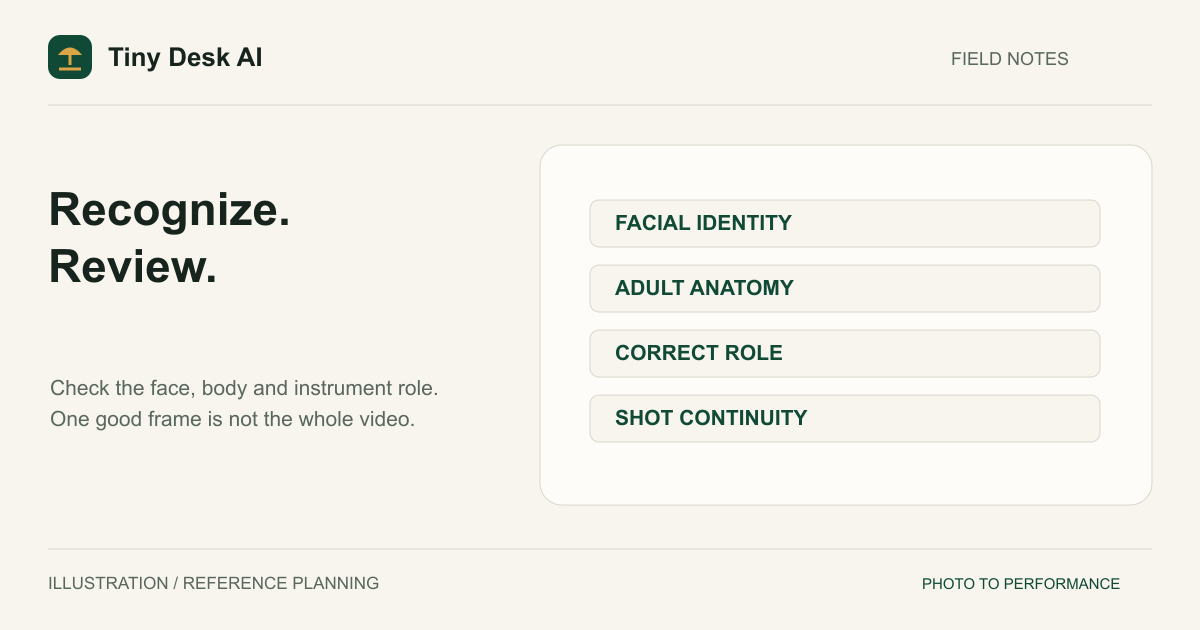
Separate Four Different Consistency Problems
Facial identity
An identity problem occurs when the performer stops resembling the intended reference. Look at facial structure, hairstyle and distinctive features over time. A face that resembles the photo in the opening frame can drift after a camera cut or an expressive movement.
Adult anatomy
An anatomy problem can occur even when the face is recognizable. Check head scale, shoulder width, torso length, pelvis, arms and legs when visible. A large head on a very short body is different from a correct body carrying the wrong face.
Identity-to-role mapping
In a group, the right people can appear but play the wrong instruments. A friend you placed on the saxophone card may instead appear at the keyboard. Counting faces alone will not detect this error.
Shot continuity
A performer may change clothing, instrument placement or location between shots. Record these separately from facial resemblance. Consistent staging does not prove identity accuracy, and a recognizable face does not excuse a disconnected hand or a floating instrument.
Prepare References With a Clear Target
Choose one adult per photo, with visible facial features and enough neck, shoulder or torso context to suggest a natural build. Use a clear, unfiltered image that reflects the appearance you want. The photo selection guide explains how to evaluate source portraits before spending a generation attempt.
A half-body portrait is not a full-body specification. Unseen regions must be completed by the model. Visible shoulders can help define build cues, but they do not force correct leg length or posture in the generated scene.
Avoid aggressively reshaping the photo to compensate for an earlier result. Making the source head artificially smaller can introduce a new distortion rather than solve the original problem. Select a more natural reference instead of engineering an exaggerated body as a corrective instruction.
Keep a private reference checklist for each person. Note the intended appearance and musical role in ordinary words. This is an evaluation aid, not a claim that the service offers a face-lock switch or a user-editable identity-control parameter.
Protect the Role Map in Group Videos
Every video uses the same five roles: lead singer, Backup singer 1, Backup singer 2, keyboard player and saxophone player. Each photo stays with the card where you add it, and any role you leave alone keeps its AI-generated bandmate.
Read every label beneath the selected photos before generating. If two images are reversed, correct the cards first. Clicking Generate video uploads and checks the revised selection automatically. Changing a label in your own notes after generation does not change what the submitted request contained.
With friends in several roles, check that the lead, both backup singers and the keyboard and saxophone players each keep the face from their own card. The current instructions explicitly request these relationships and a distinct cast. Those instructions are still model guidance, not an API-level identity guarantee. The five-photo band guide includes a role-by-role review routine.
Choose a Composition You Can Evaluate
A wider group view lets you inspect relative body scale and performer separation. A medium shot reveals facial expression but cannot establish whether hidden legs are proportional. Instrument details may establish playing contact while leaving too little face visible to verify identity.
Use the requested format to support your main criterion. A horizontal frame provides more lateral space for a group; a vertical frame may arrange performers in depth. Neither is universally better. If a backup singer is obscured behind the lead, a higher pixel count will not create a clear view of that person.
The generator currently exposes 10- and 15-second options. Extra duration provides more time for the scene, but it also creates more movement and frames to inspect. Do not assume a longer clip automatically improves identity retention. Choose the duration for the intended performance rather than as an anatomy repair setting.
Review the Video in Three Passes
First, watch at normal speed without stopping. Notice whether the performance feels coherent: connected playing movements, believable standing or seated balance, and consistent clothing and room layout. Write down moments that interrupt that impression.
Second, compare faces at the opening, a middle moment and the ending, including either side of a camera cut. Check every reference person you expect to identify. A successful lead singer does not establish that the keyboard player also matches.
Third, pause on full-body views and instrument contact. Inspect connected joints, plausible limb lengths, grounded feet, hands reaching the keyboard, believable saxophone contact and the correct person in each role. Do not label a clip fully accurate simply because one attractive frame looks convincing.
Use the approved examples as illustrations of the product category, not as a measured success rate. They are not a benchmark proving that your references, settings or current provider will behave identically.
Plan a Controlled Next Attempt
Identify one principal failure before deciding what to change. If the source was a tight close-up and the body looked compressed, consider a clearer waist-up reference. If roles were reversed, move the photos to the right cards. If a person was hidden, reconsider composition rather than automatically increasing resolution.
Keep the other important settings steady when practical. Changing every photo, aspect ratio, duration and resolution makes the next result difficult to compare. The resolution guide explains why output size and semantic correctness are separate decisions.
If you create another task in the generator, treat it as a new paid operation. Resolve any unknown earlier submission first. Re-querying an existing task can recover its delivered result; it does not regenerate a better face, and it should not be confused with a new creative attempt.
FAQ
Can the system perfectly lock an identity?
The current workflow does not expose a guaranteed identity lock. Reference images and instructions guide the model, but faces, bodies and role relationships can still drift. Review what was delivered rather than relying on the request alone.
Does 1080p fix facial mistakes?
No. A larger image can show an incorrect face more clearly. Resolution is not evidence that a person, body or instrument assignment is correct.
Should every shot show the whole body?
Not necessarily. A music performance can use wide, medium and instrument-detail shots. Natural anatomy still matters wherever bodies are visible; hidden regions simply cannot be verified from that shot.
Can I begin with a simpler case?
Yes. Add only the lead-singer photo and keep the four AI bandmates, which gives you one reference identity to evaluate before casting friends. The homepage explains the wider workflow, but a convincing lead still does not guarantee that a band of five friends will hold up.